How to Use Coupons/Vouchers on iRender
The financial benefits of using iRender don’t stop there.
Beyond Credit Back points, iRender users can also use their credits to redeem attractive promotional vouchers, offering up to a 25% bonus on a single top-up. This is a great feature that allows users to actively plan and accumulate benefits over time, instead of relying on random promotions.
To use a coupon/voucher, go to the Promotion tab and click on Coupon/Voucher.
- Coupon
If you have worked on iRender, feel free to share some of your final rendered products with us so we can admire your work and celebrate your achievements. You may receive from 30 to 150 iR as a reward.
Share your final render and settings with us to inspire the community. Once verified, an 80 iR coupon will be manually added to your account.
Love rendering with us? Share your job/project on social media, tag iRender, and receive a 100 iR coupon as a thank-you gift!
High-quality animations deserve high-value rewards! Share your video or multi-frame sequence rendered on iRender (10-15 seconds in length) to claim your 150 iR coupon
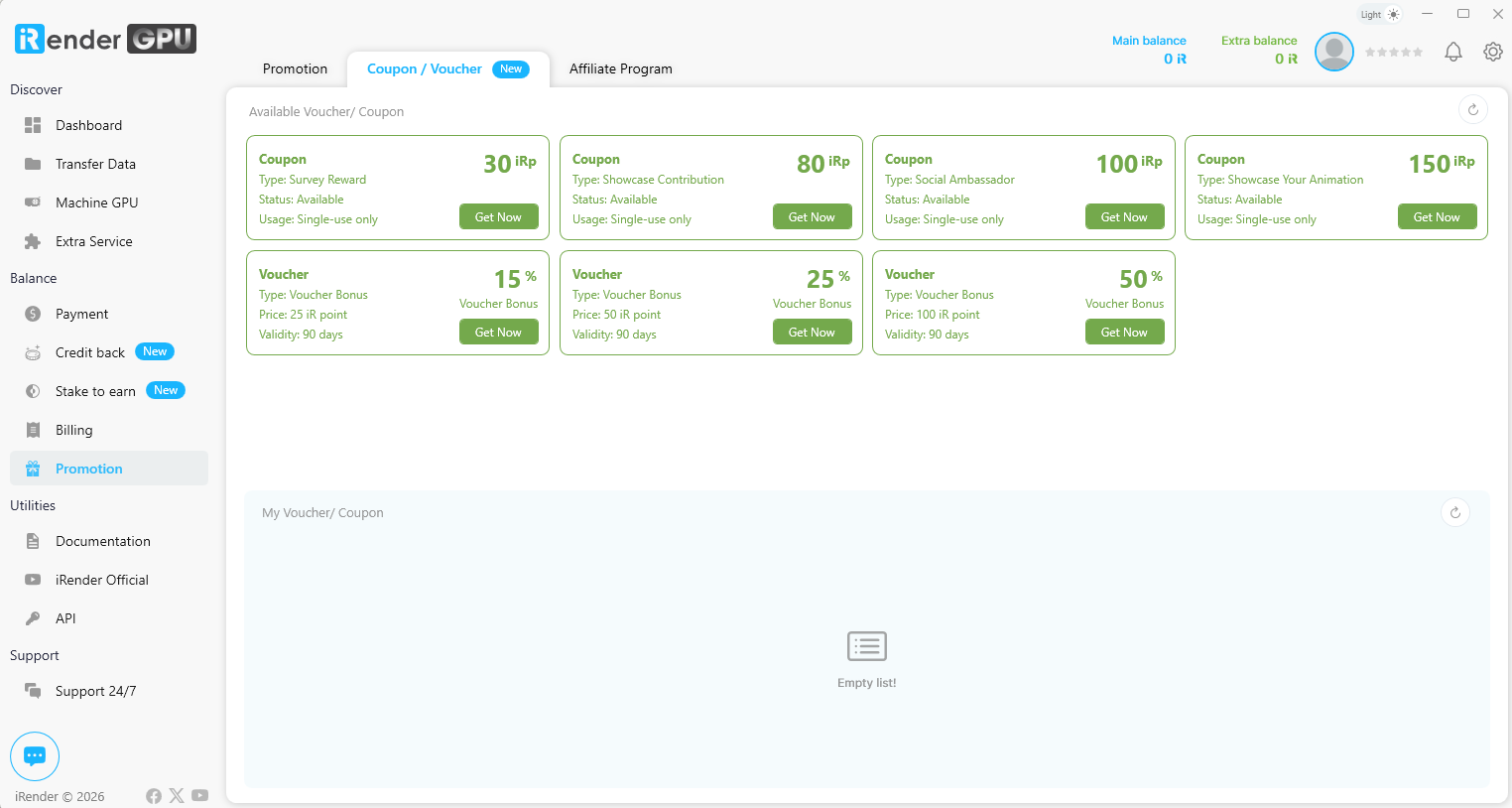
For coupons worth 80, 100, or 150, please wait for confirmation from our customer support team.
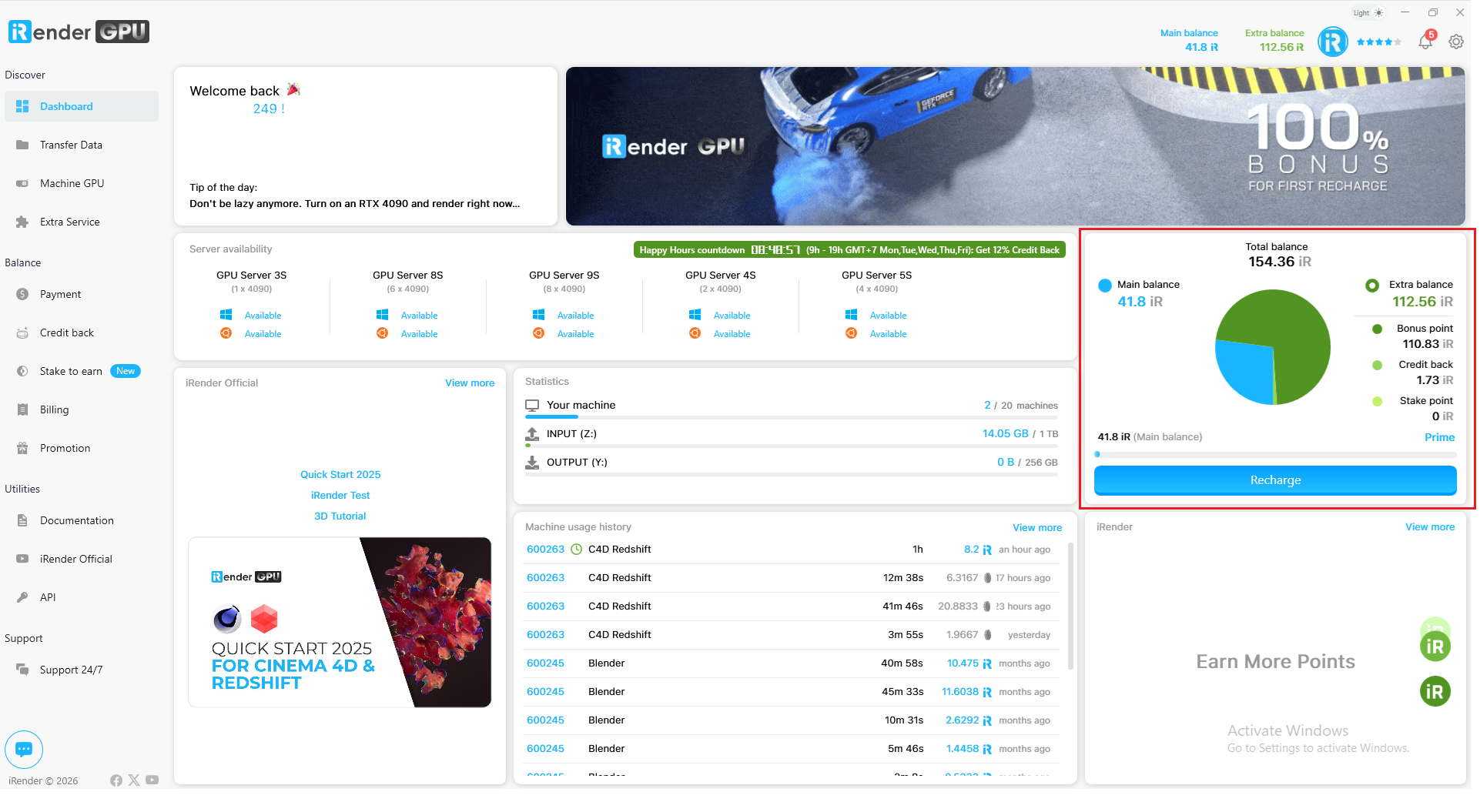
The IRP you receive will be added to your Extra Balance, which you can check on the Dashboard.
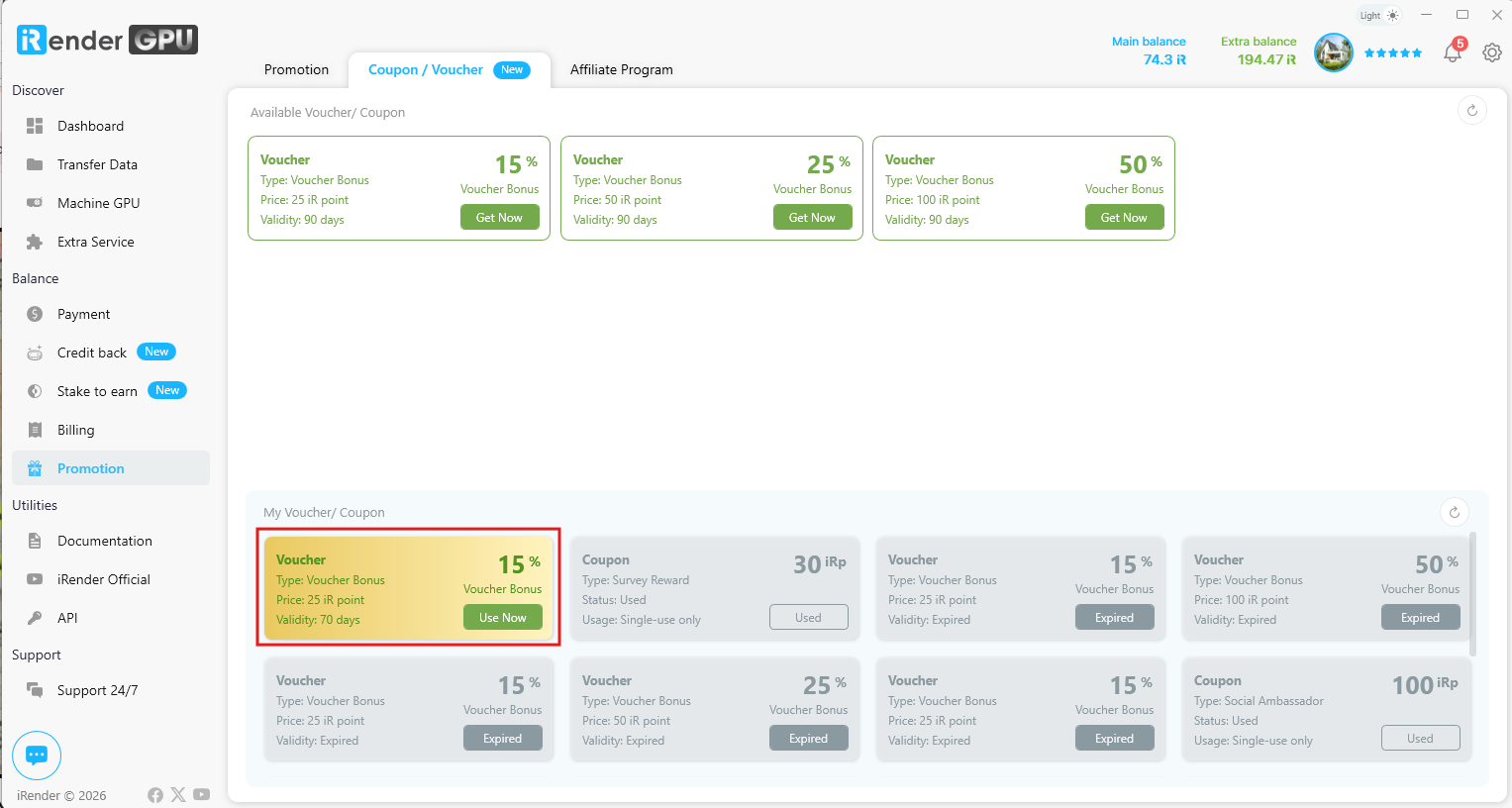
- Voucher
You can convert your Extra Balance into vouchers with values of 15%, 25%, or 50%.
After successfully getting a voucher, click “Use Now” to use it.
Or when topping up, you can select the voucher you want to use.
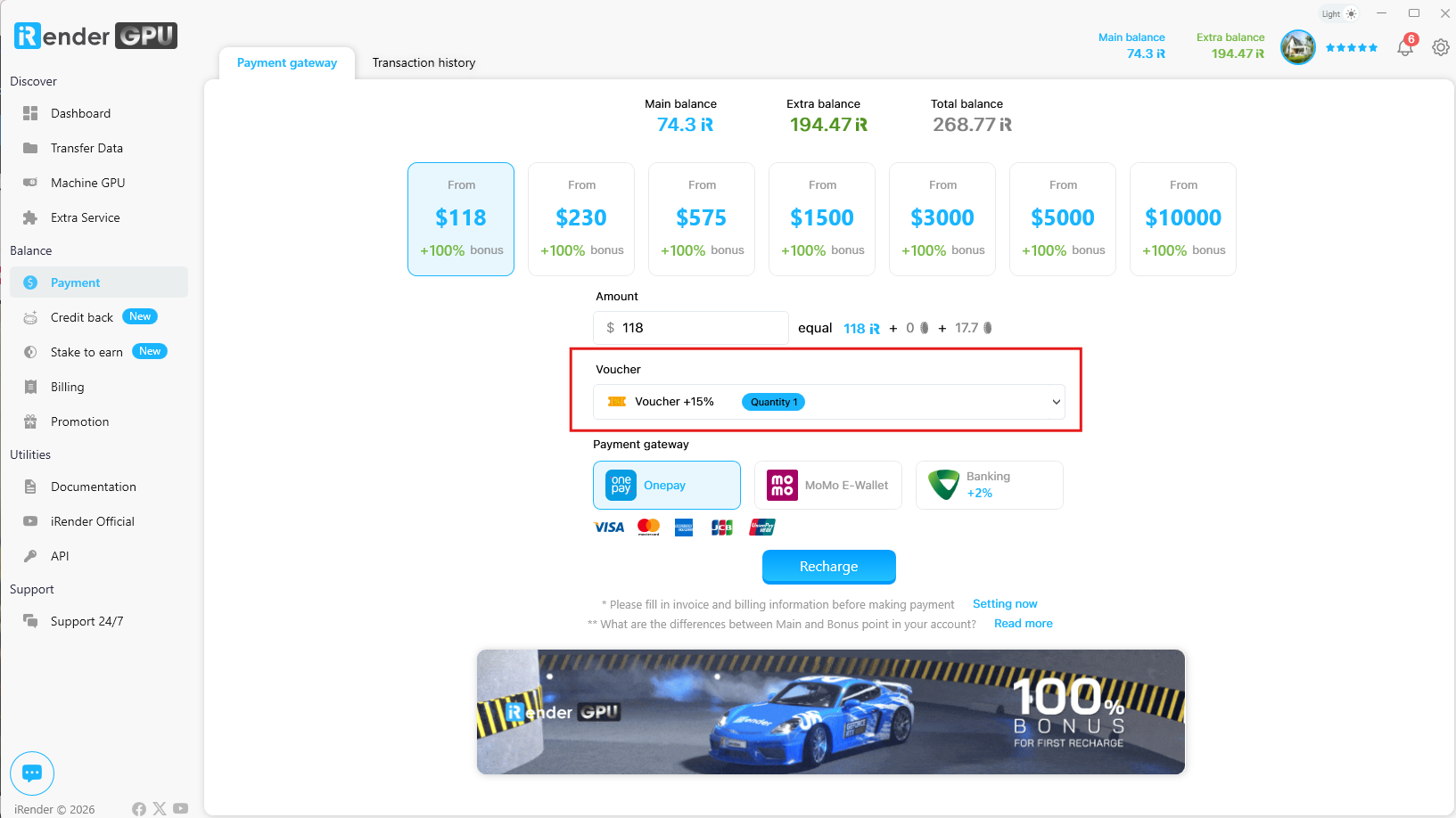
The IR points received from the voucher will be added to your Extra Balance, and you can check it in the Dashboard tab.