iRender Credit Back
iRender is committed to delivering real value to users—not only through powerful hardware but also through useful features that help reduce costs over time. One of the latest highlights is the Credit Back feature, along with several proactive financial solutions designed to help users earn and optimise credits effectively while using the system.
CONTENTS
1. Earn More Credits with iRender’s Credit Back
Credit Back is a feature that rewards users based on their usage. Instead of only spending credits, you receive a portion back after each session.
With this system, users can earn from 10% to 20% of the credits they spend, depending on the time they use the service. This means your actual cost becomes lower over time, especially if you use iRender regularly.
👉 In simple terms:
- The more you use, the more you get back
- Your real cost decreases over time
It’s simple:
Render → Get credits back → Render again at a lower cost
2. How Does iRender’s Credit Back Work?
Credit Back applies to every billing cycle, whether you use Pay-as-You-Go or rental plans. The credit-back amount can be up to 20% for each usage session.
🔹 Pay-as-You-Go
When you shut down the machine, the system generates a billing statement, and you will receive your Credit Back.
🔹 Rental Plans
When you create a rental plan, the system generates a billing statement, and you will receive your Credit Back.
3. Special Time Periods to Maximise Credit Back
Users will earn 10% of the credits they spend. In addition, iRender offers two special time periods that help users maximise their Credit Back benefits:
- Happy Hours (9:00 – 19:00 Monday – Friday GMT+7): 12% credit back
- Golden Hours (0:00 Saturday – 24:00 Sunday GMT +7): 20% credit back
4. Example
You use a machine for 3 hours during Golden Hours.
Your cost is 45 credits.
You will receive:
→ 45 × 20% = 9 credits back
So instead of just spending 45 credits, you also get 9 credits back for future use.
This works like a post-usage discount. While simple, it can make a significant difference when running large projects or rendering frequently.
5. Tracking Your Credit Back
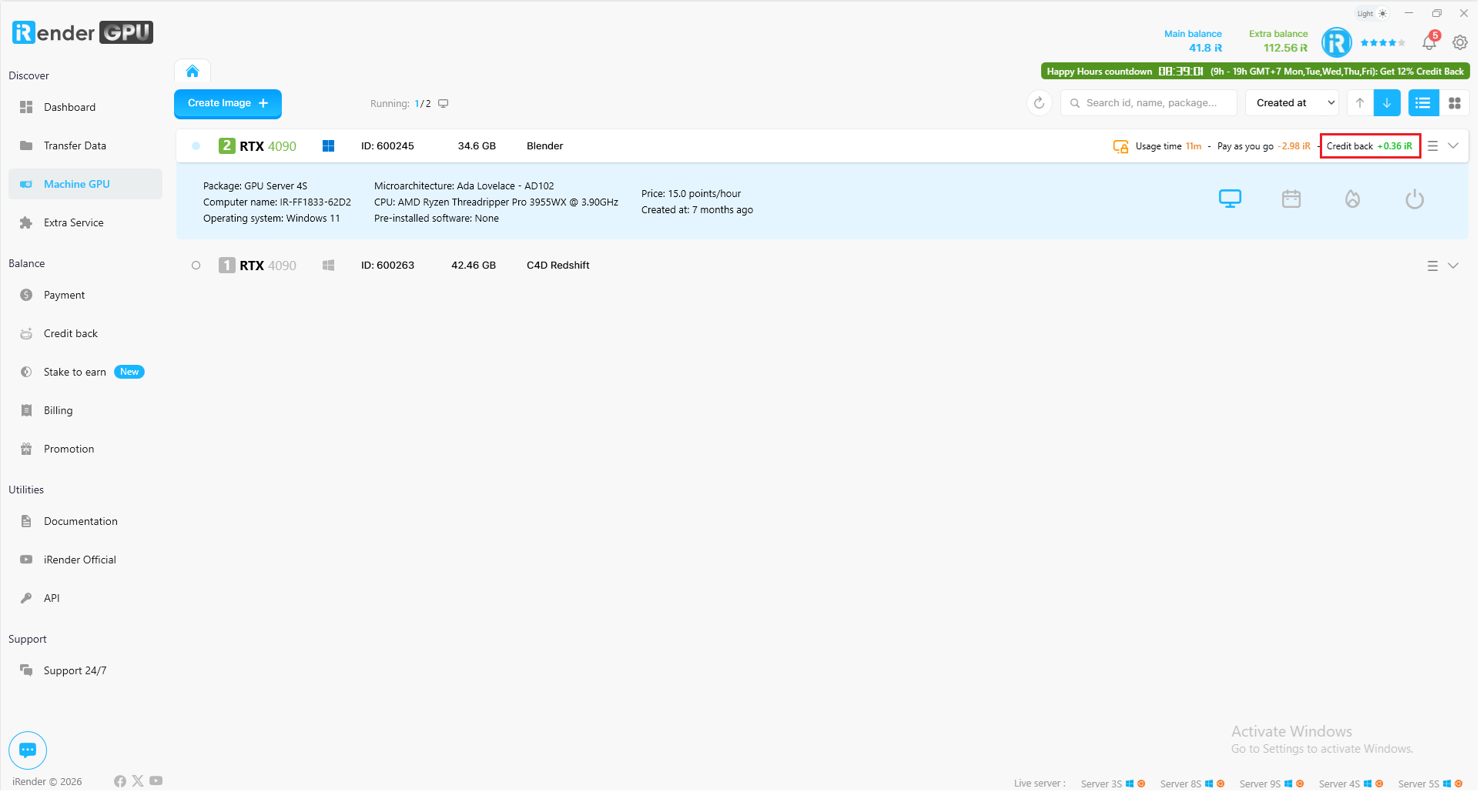
- While your machine is running, you can view the estimated Credit Back
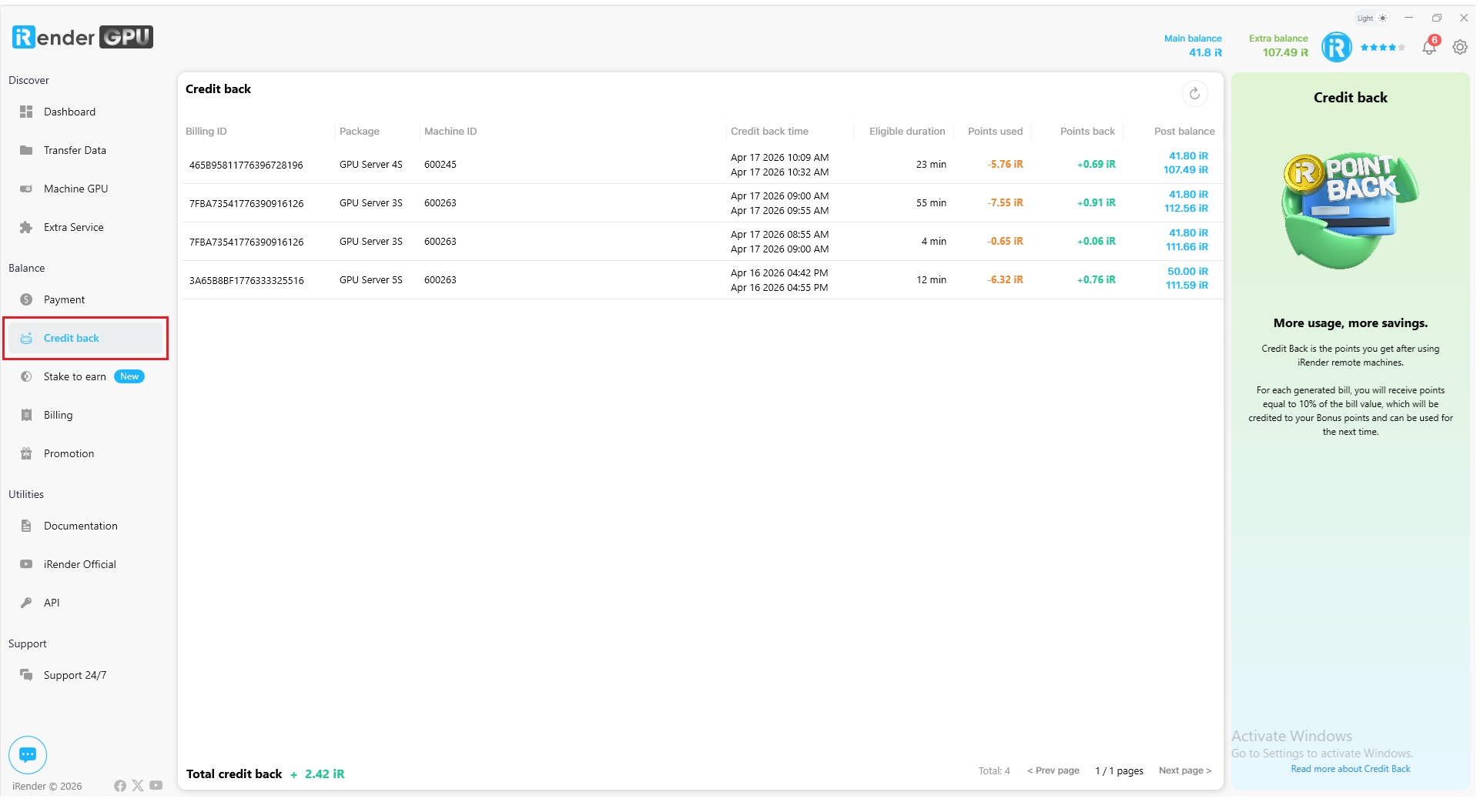
- To check all your Credit Back, go to the Credit Back tab
Here, you can view a detailed list of all your Credit Back records, including Billing ID, Package, Machine ID, Credit Back time, Eligible duration, Points used, Points back, and Post balance. This table helps you track each transaction clearly, understand how much credit was returned for each session, and monitor your remaining balance after Credit Back is applied.
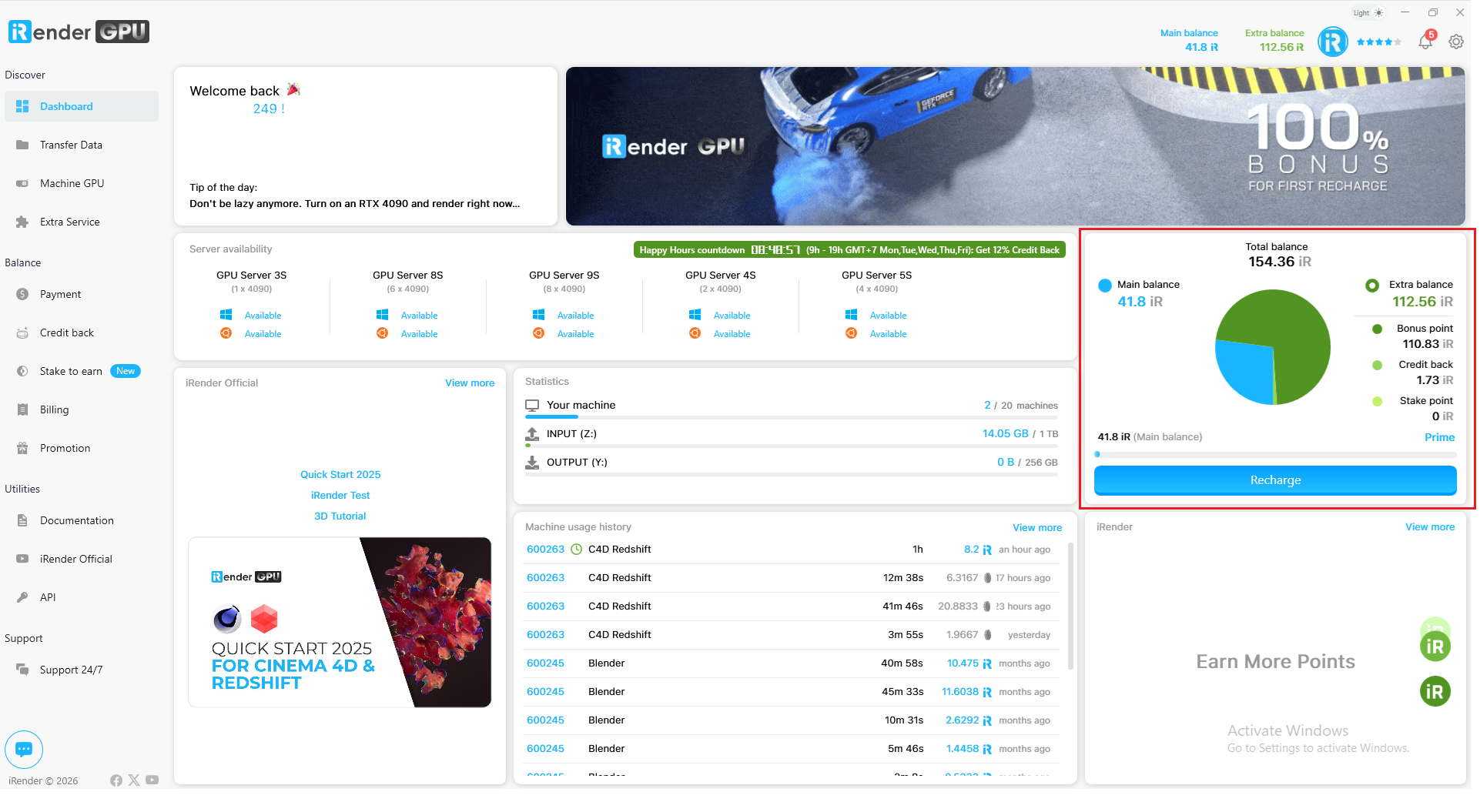
- You can check your total Extra Balance on the Dashboard
How to Use Coupons/Vouchers on iRender